Sailboat: Maintenance Management for Catalina Island Camps
One bilingual system replacing whiteboards, text threads and translation apps.
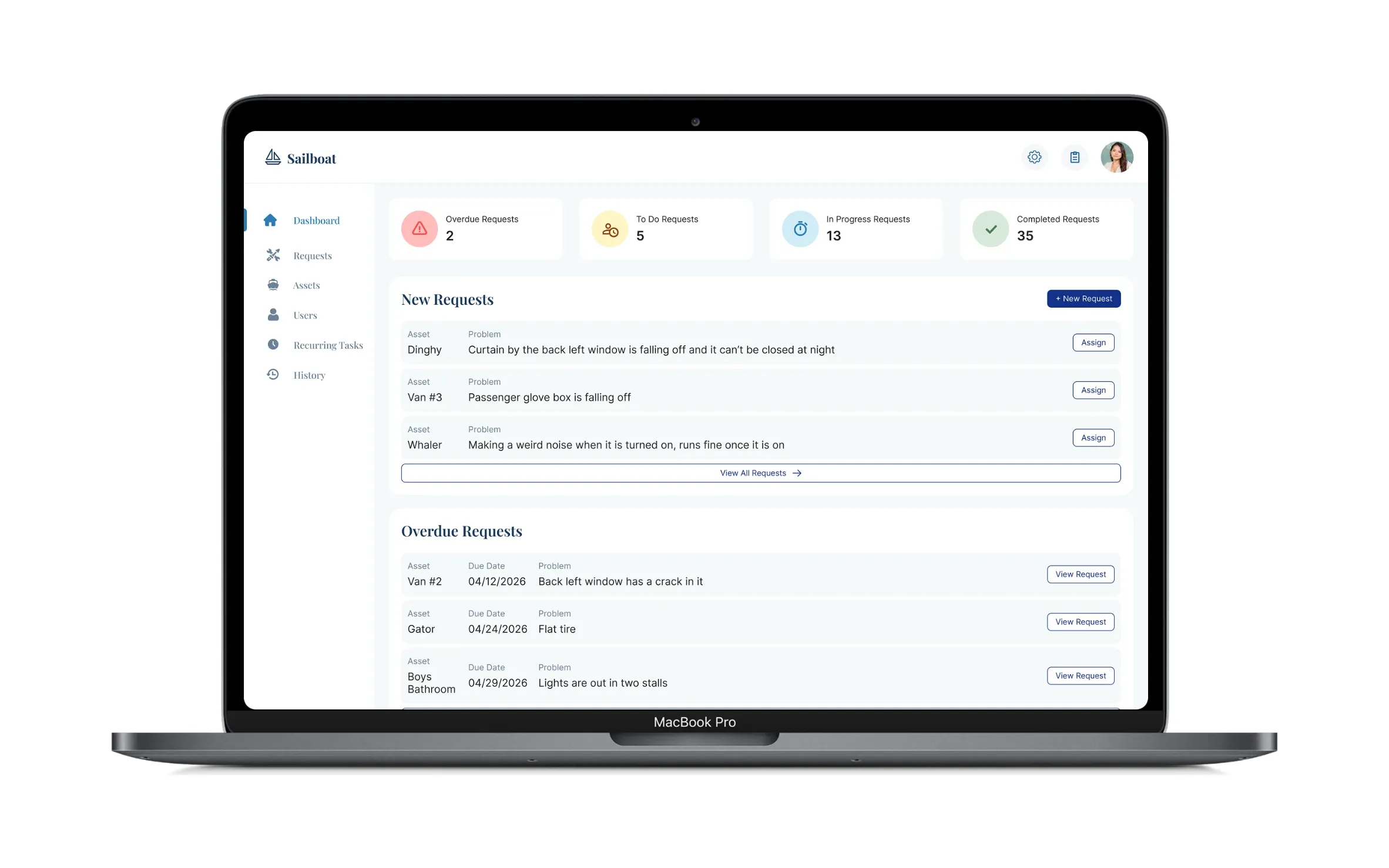
- 100+ issues tracked in the first two months
- Daily use across camp
Overview
| Company | Catalina Island Camps |
|---|---|
| Role | Senior UX Designer (Contract), the only designer on the project. Discovery, UX and UI. |
| Team | Me on design and one engineer. Together we ran the project end to end with the camp director, site manager and maintenance technicians. |
| Timeline | June–September 2026, built while camp was in session |
| Platform | Web app for site managers and technicians, plus QR-code reporting for guests |
Since starting my career in UX, I’d wanted a project that brought the design world and the camp world together. Sailboat was that project.
The Problem
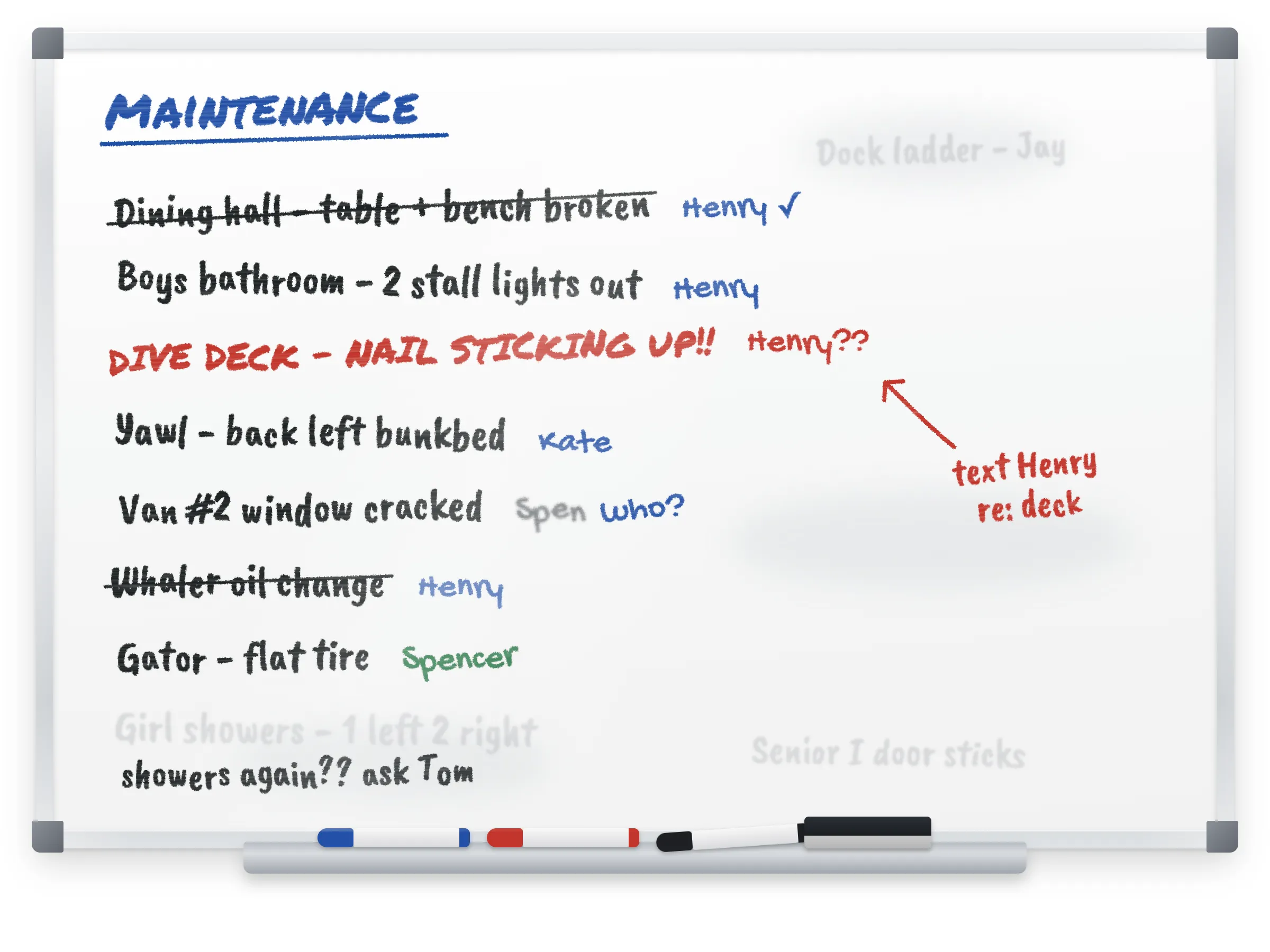
Maintenance at camp ran on whiteboards, texts and phone calls. Issues got scribbled on a board and handed to the maintenance staff, then followed up in text threads.
That made three things hard to see:
01
What needed to be done
02
Who was working on what
03
What was already finished
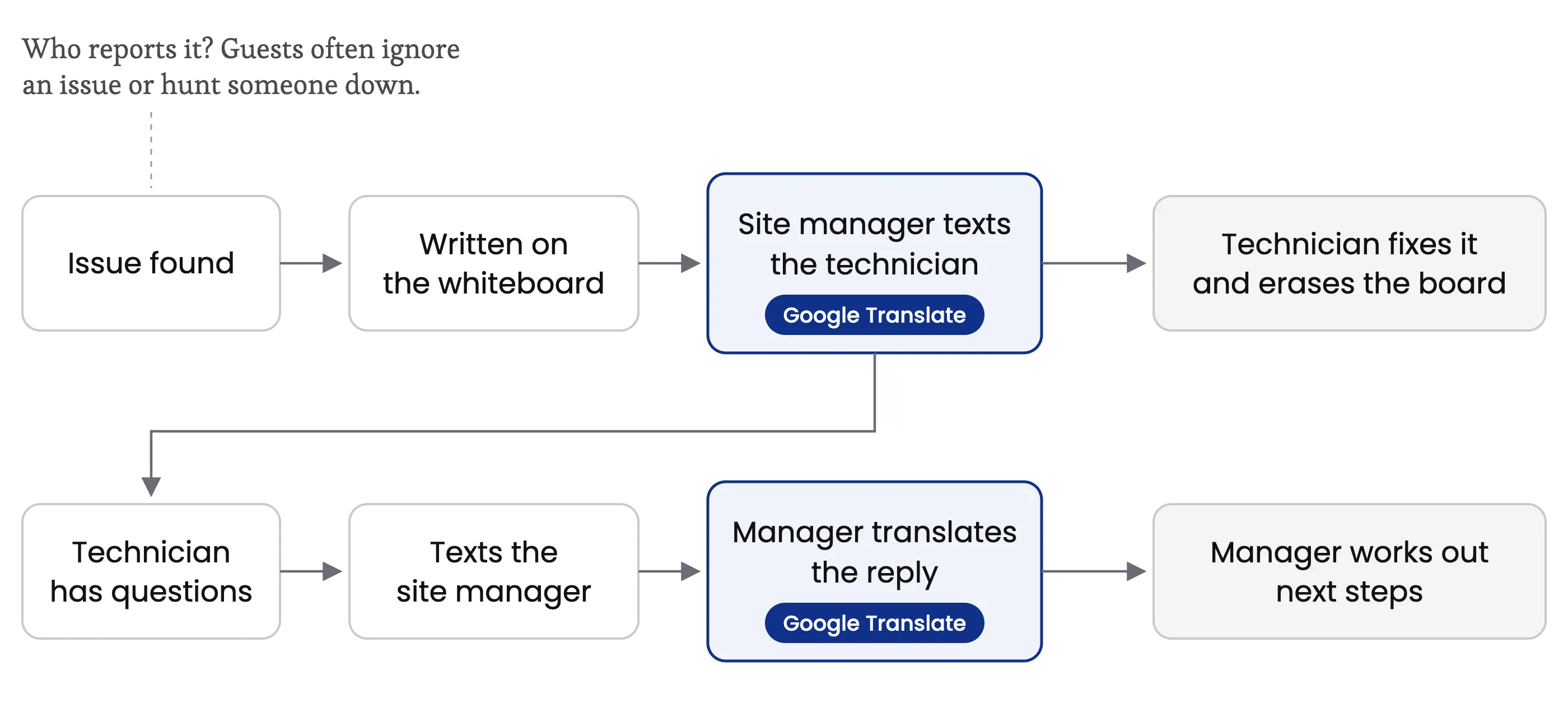
Language added a hidden cost. Most of the technicians speak Spanish, so the site manager was running messages back and forth through Google Translate.
Users
| User | What they need | What they do in Sailboat |
|---|---|---|
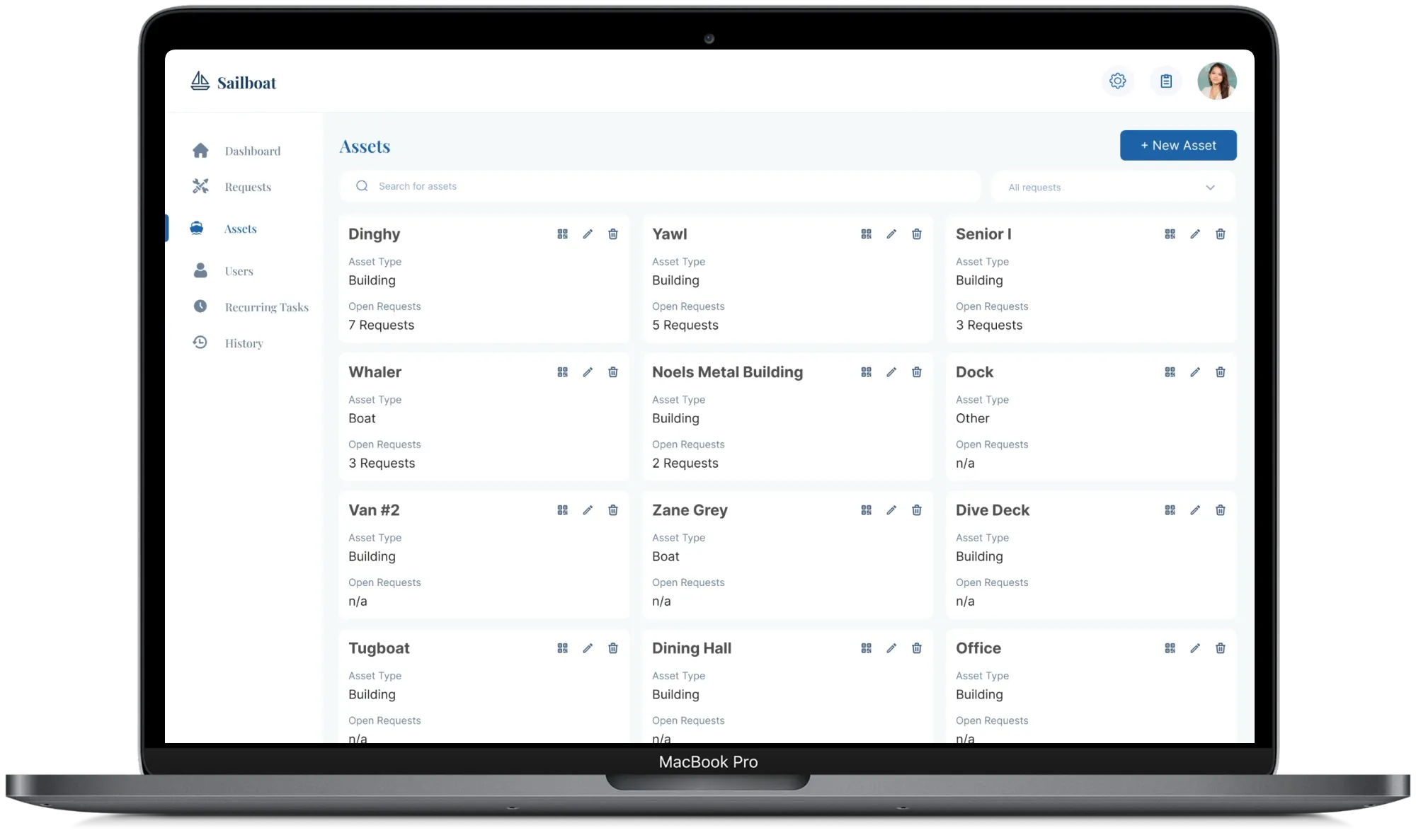
| Site manager | One place to see everything happening around camp | Reviews requests, assigns tasks, manages assets, tracks progress |
| Technicians | Clear instructions in their own language | See assigned tasks, post updates, mark work complete |
| Guests and staff | A quick way to report a problem without downloading anything | Scan a QR code posted around camp and submit a request |
Discovery
I started with an unusual advantage. I’d worked at the camp as a counselor and had seen how clunky the whiteboard system was long before the camp director asked our two-person team to build a solution.
The most useful research was also the simplest. The site manager walked us through how he assigned and followed up on work, and that walkthrough surfaced the problem nobody had put in the brief. He was relaying messages through Google Translate so his Spanish-speaking technicians could understand them, then translating their replies back.
Translation wasn’t something the camp asked for. But once we saw how much time that back-and-forth was taking, I pushed for it to become a core feature rather than a nice-to-have.
Key Decisions
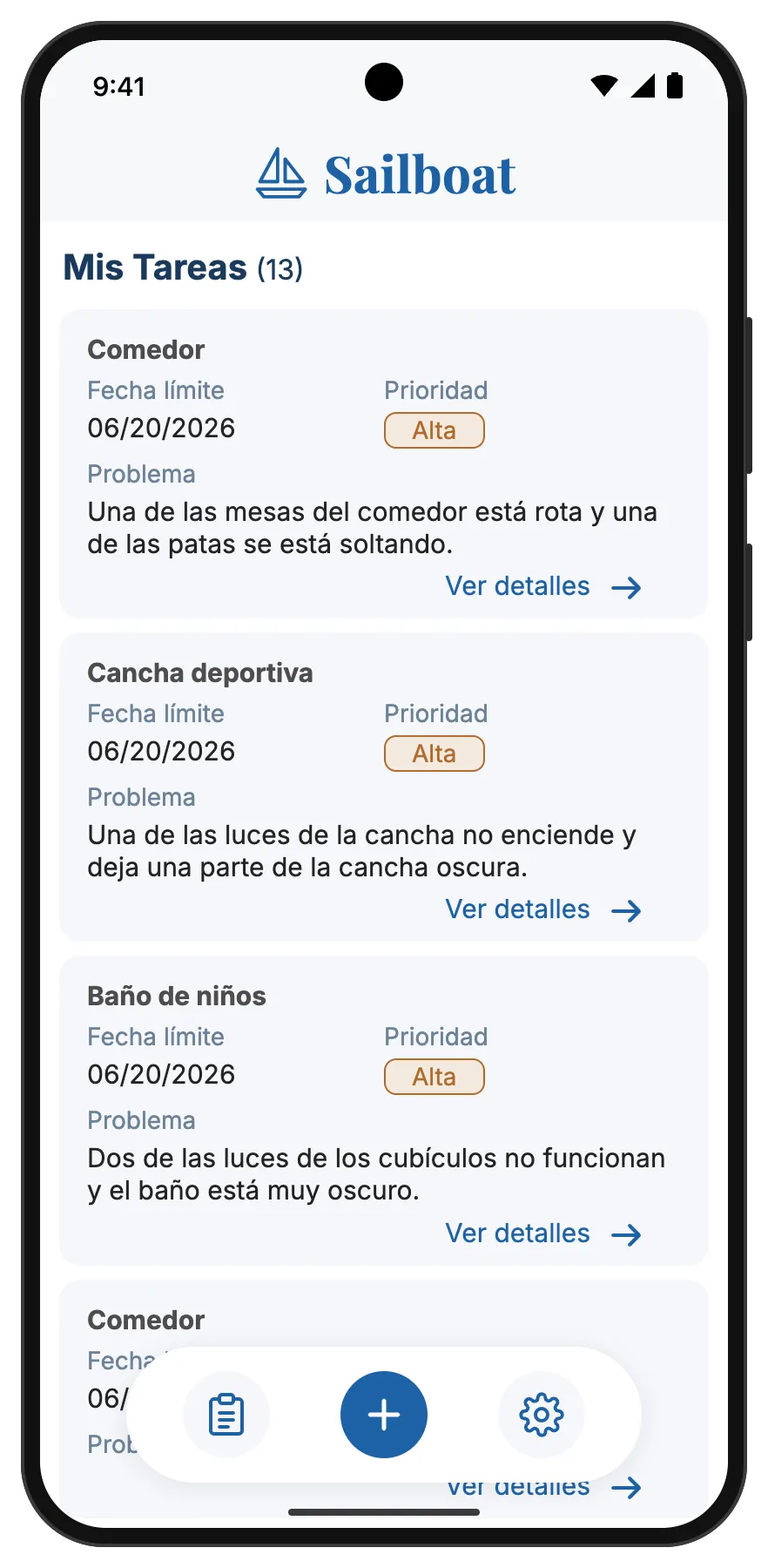
1. Automatic translation for every task and reply
Sailboat automatically translates tasks, updates and comments into each user’s preferred language. The site manager writes in English, technicians read in Spanish, and replies come back the same way.
The Google Translate workaround was the slowest part of the whole process, and it only worked when the site manager had time to do it. Making translation automatic took him out of the middle.
English
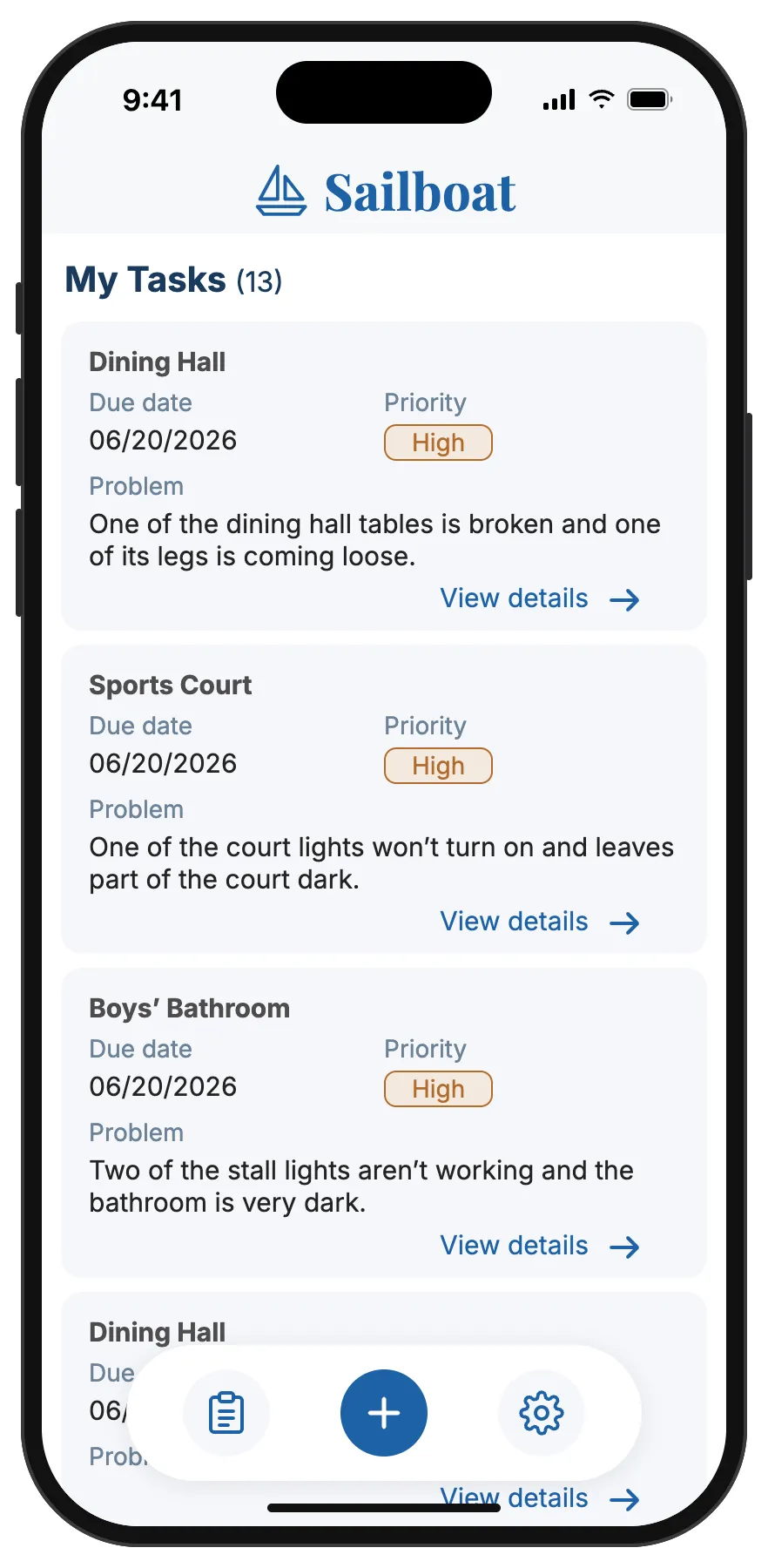
Spanish
2. Report a problem by scanning a QR code
Anyone at camp can scan a QR code posted around the property and submit a maintenance request.
Camp guests and short-term staff will never download an app to report a broken light. A QR code needs no account, download or training, so problems get reported where they’re spotted.
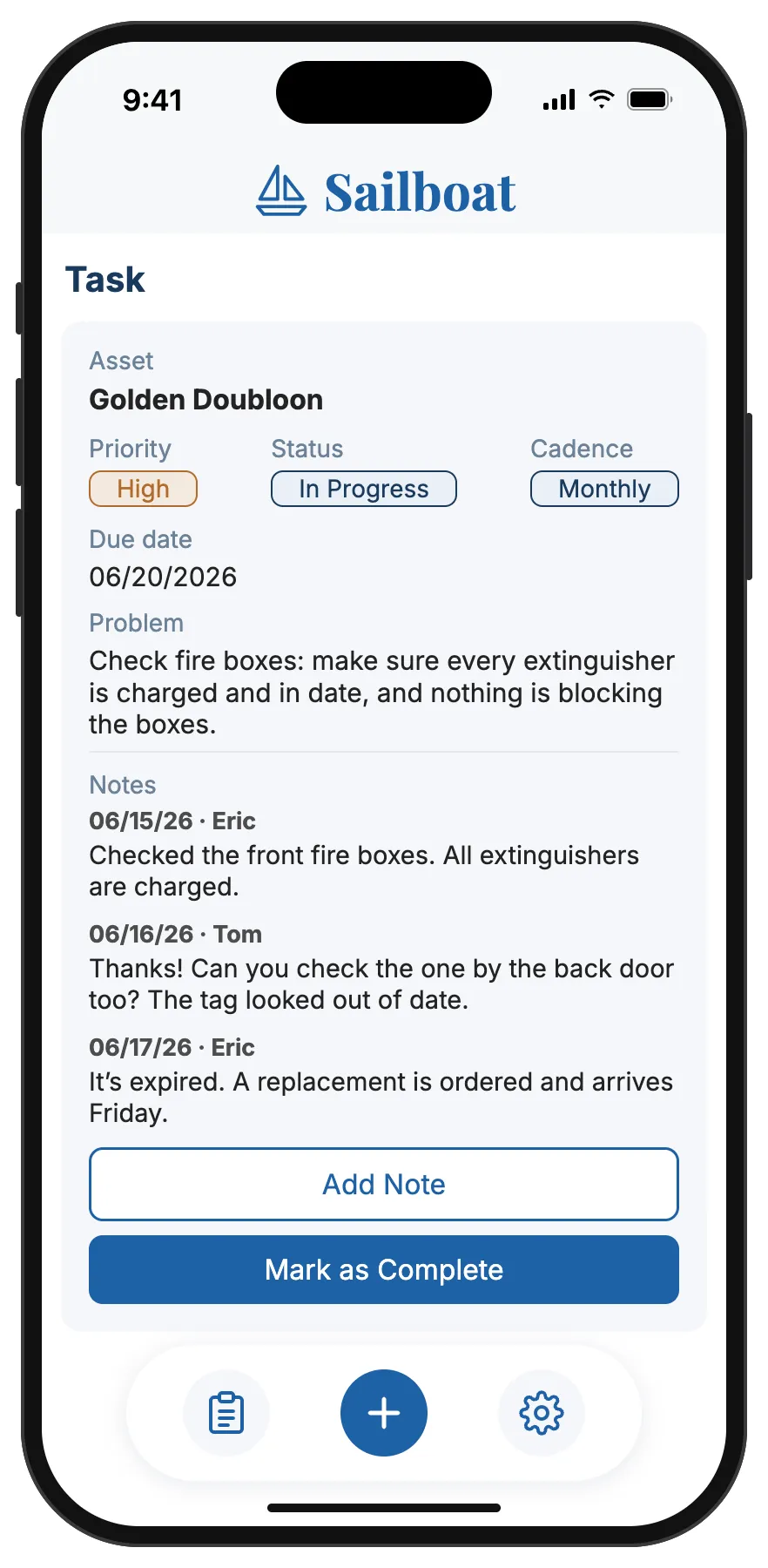
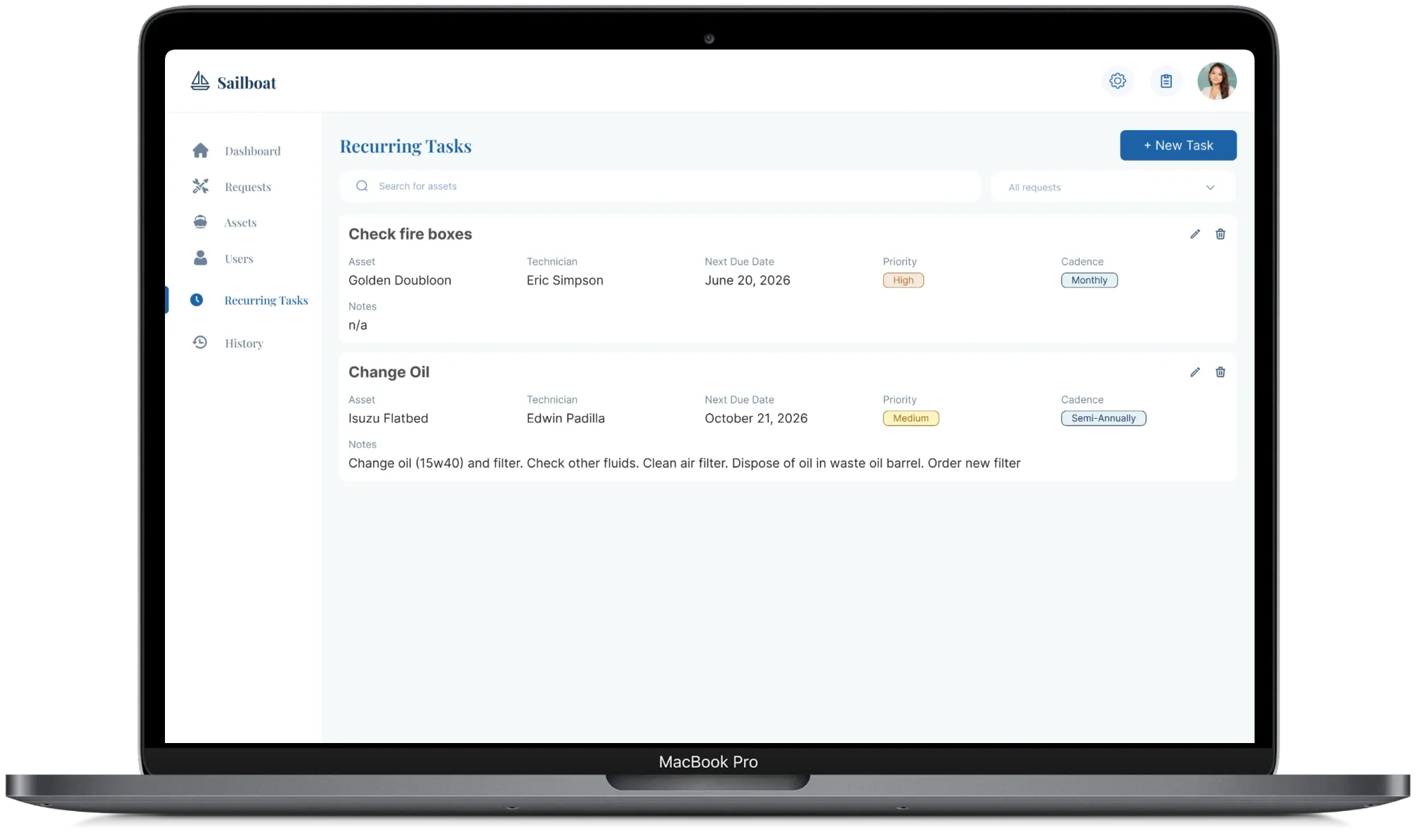
3. One shared record for every issue
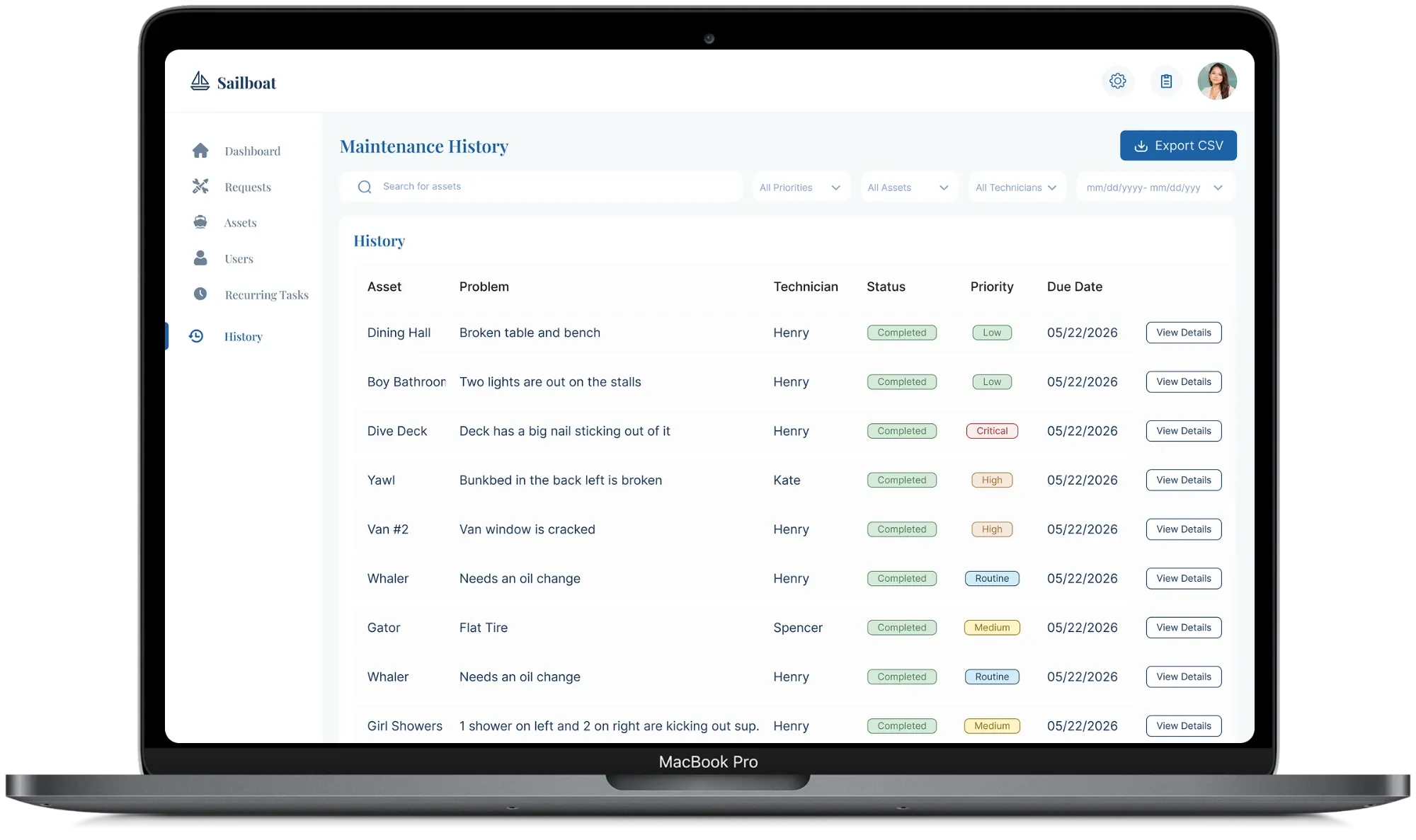
Every request becomes a task with its own history. Updates are added to the task itself, so the site manager, technicians and director all see the same status. Recurring tasks, like routine checks, are tracked too, so they don’t depend on someone remembering.
Visibility was where the old system really failed. Information lived on a whiteboard in one building and in texts on one person’s phone.
Results
Sailboat launched at the end of summer 2026 and is used daily across camp.
- 100+ issues tracked in the first two months
- Daily use across camp
- No more whiteboard: requests, assignments and updates all live in one place
- No more manual translation: technicians get every task in Spanish automatically
- Routine checks on a schedule, so nothing depends on memory
Sailboat is already working well and making tracking the various problems around camp much easier, so thank you!
Reflection
Translation was never in the brief
It came from paying attention to a workaround the site manager mentioned in passing.Engaged users made it better, fast
The site manager and technicians were open, quick to give feedback and invested in making it work. That close loop let us refine Sailboat with real feedback while we built it.What’s next
I’d like to measure time-to-fix before and after, and see how often guests use the QR reporting.